How to Connect Apple Watch to Treadmill Bluetooth?
Link your smartwatch to compatible fitness machines for accurate metric tracking. Master protocol standards to bridge wearable sensors with heavy-duty consoles.

Enable GymKit protocols or third-party broadcast apps to sync real-time heart rate data. Always verify console pairing modes before starting your workout session.
Ready to compare models? Start with our Best Treadmill: Top Home Cardio & Under-Desk Picks (2026).
Practical Quick-Reference Table
| Scenario / Metric | Recommended Target | Why It Matters |
|---|---|---|
| Apple Watch Model | Series 4 or newer | Required for native NFC and GymKit integration. |
| Bluetooth Version | Bluetooth 4.0 / BLE | Ensures low-energy consumption and stable data streams. |
| Proximity Range | Under 2 feet | Prevents signal drops during high-speed running phases. |
| Connection Protocol | FTMS or GymKit | Standardizes speed, incline, and metric telemetry. |
| Heart Rate Latency | Under 2 seconds | Provides accurate calorie burn and zone tracking. |
| Firmware State | Latest watchOS build | Patches known pairing bugs and improves protocol stability. |
Understanding Wireless Protocols and Hardware Compatibility
Modern fitness equipment relies on standardized Bluetooth Low Energy architecture to communicate with external wearables. Understanding these underlying network layers ensures seamless telemetry transmission during intense running sessions.
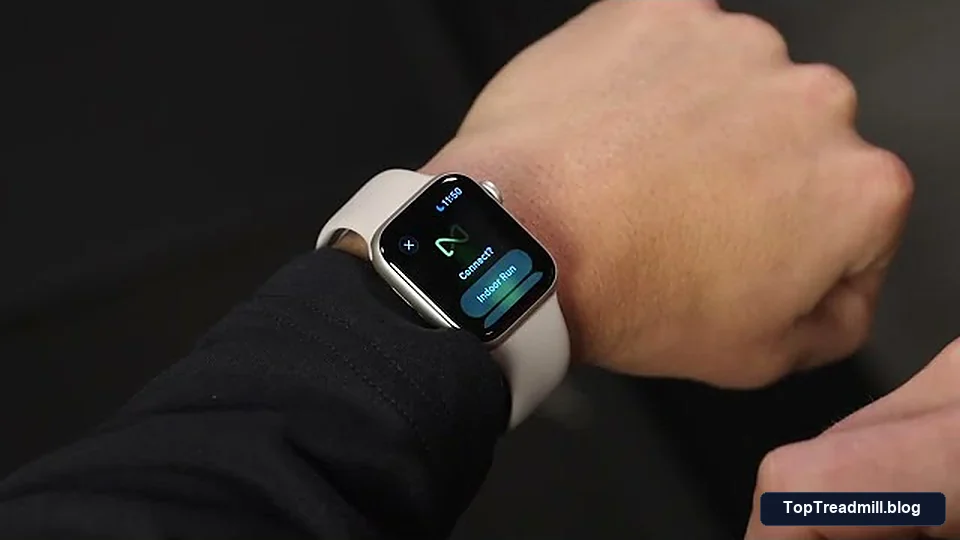
Apple Watch devices utilize encrypted Bluetooth channels for secure machine handshakes. You should check if your best treadmill option supports native GymKit connectivity before attempting direct pairing.
Legacy equipment often lacks native Apple protocols, requiring intermediary software bridges or external hardware adapters. Identifying your console specifications prevents prolonged pairing frustration and wasted setup time.
Electromagnetic interference from nearby gym equipment can disrupt low-frequency wireless bands. Keeping your console software updated mitigates interference issues and enhances overall system reliability.
- Verify treadmill console supports Bluetooth 4.0 or higher.
- Check Apple Watch settings for active NFC and Bluetooth toggles.
- Keep wearable firmware updated to the latest stable release.
- Ensure no competing smartphones are actively holding console locks.
Identifying Native GymKit Hardware Logos
Console decals frequently display official certification stamps indicating direct Apple Watch compatibility. Look closely at the upper plastic bezel for embossed NFC placement markers.
Contact your equipment manufacturer if documentation remains unclear regarding wireless capabilities. Commercial-grade machines usually feature prominent NFC landing zones directly on the main control board.
- Inspect console housing for printed NFC identification icons.
- Review manufacturer data sheets for explicit GymKit references.
Step-by-Step Guide to Native GymKit Pairing
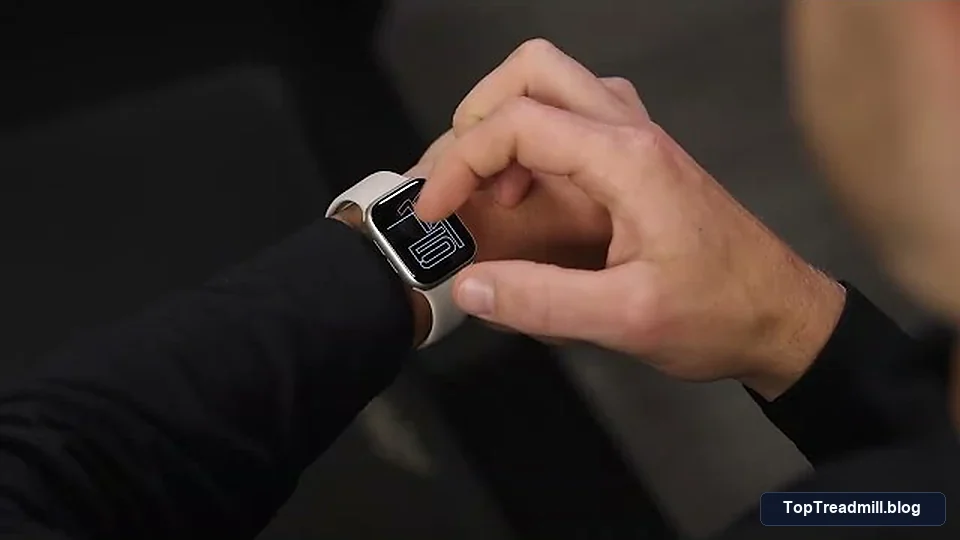
Initiating a direct connection requires physical proximity between your wrist and the console NFC reader. Wake up your Apple Watch display before approaching the designated landing zone on the machine.
Hold the face of your watch within one to two inches of the contactless symbol on your best treadmill for cheap console. A subtle tactile vibration confirms that the NFC handshake has triggered.
Tap the green confirmation button on your watch screen to accept the data synchronization prompt. This action authorizes the treadmill to transmit incline, speed, and distance directly to your wrist.
Begin walking or running on the belt to finalize the active telemetry stream. Your heart rate metrics will now display simultaneously on both the console and your personal watch face.
- Wake the Apple Watch screen prior to NFC contact.
- Align the watch face directly over the console NFC logo.
- Confirm the workout prompt immediately upon screen appearance.
- Verify heart rate indicator turns green on the watch interface.
Managing Active Session Data Transfers
During your workout, the treadmill continuously feeds speed and elevation data back to health storage. This bidirectional sync guarantees exact calorie calculations based on actual machine grade.
Ending your workout on either the console or the watch terminates the connection safely. Always allow a brief synchronization window before walking away from the machine.
- Pause workouts using physical console stop keys carefully.
- Allow five seconds for final metric uploading post-workout.
Video Walkthrough: How to Connect Your Apple Watch to Your SL Console | Life Fitness Atmos Treadmill
Troubleshooting Common Connection Failures and Signal Drops
Wireless dropouts frequently stem from physical obstruction or heavy radio frequency congestion in your workout area. Moving away from localized Wi-Fi routers often stabilizes the personal Area Network link.
If the console fails to recognize your watch, toggle the Bluetooth setting off and on within the watch menu. This simple reboot clears cached connection errors and forces a fresh discovery scan.
Unpaired devices lingering in close proximity can create channel congestion during the handshake phase. Clear out redundant device profiles from your watch settings to streamline active connection protocols.
Power cycling the console completely resets its internal Bluetooth controller. While checking system electronics, you can also use our deck size calculator to verify machine footprint dimensions before troubleshooting wiring components.
- Toggle Apple Watch Bluetooth radio to clear connection caches.
- Perform a hard power cycle on the treadmill display console.
- Remove obsolete or unused Bluetooth pairings from watch storage.
- Maintain close proximity to the console NFC reader throughout pairing.
Resolving Persistent NFC Sensor Dead Zones
Some console readers suffer from loose internal wiring behind the plastic casing. If tapping yields no vibration, the internal NFC antenna may require professional hardware reseating.
Alternative pairing methods via companion apps bypass faulty NFC hardware entirely. Use manual Bluetooth menu scanning when contactless sensor chips fail to respond.
- Inspect console bezel for loose plastic alignment tabs.
- Use manual menu navigation if NFC hardware fails completely.
Utilizing Third-Party Bridge Apps for Non-GymKit Consoles
Older or budget-tier treadmills lacking native GymKit require specialized third-party application intermediaries. These utility programs bridge standard fitness machine telemetry with Apple Health frameworks effortlessly.
Download a reputable bridge application on your iPhone that supports FTMS protocols over Bluetooth. Grant the application full permissions to read and write workout data securely.
Power on your treadmill and select the peripheral pairing option within the mobile bridge software. The application will scan for nearby broadcast identifiers emitted by the machine console.
Select your specific equipment model from the discovered device list to establish the data link. Once linked, start your workout through the application interface to track metrics accurately.
- Download verified FTMS-compatible bridge apps onto your iPhone.
- Grant necessary Apple Health permissions for seamless background sync.
- Scan for console identifiers via the mobile application menu.
- Initiate workout tracking directly through the paired software interface.
Configuring External Bluetooth Heart Rate Monitors
Certain bridge setups allow your watch to act as a direct heart rate broadcast source. Enable broadcast mode in your watch settings to transmit pulse data to unencrypted consoles.
Verify that no other software is intercepting the broadcast stream simultaneously. Single-channel limitations require exclusive app access during active training sessions.
- Enable heart rate broadcasting within watch workout settings.
- Restrict background apps from hijacking the active Bluetooth stream.
Calibrating Metrics and Optimizing Sensor Accuracy
Inaccurate distance tracking often occurs when watch metrics conflict with belt speeds. Reviewing our walking pad vs treadmill comparison helps clarify how stride calibration improves indoor telemetry precision.
Ensure your personal height and weight data are updated accurately within your user profile settings. Proper anthropometric data ensures the algorithm calculates energy expenditure with maximum scientific fidelity.
Check that your treadmill belt is properly tensioned to prevent micro-slippage during foot strikes. A slipping running belt distorts internal machine speed sensors and misleads connected tracking devices.
Regularly clean optical heart rate sensors on the back crystal of your watch. Sweat salt accumulation degrades optical pulse detection accuracy during high-intensity endurance training intervals.
- Update user height and weight values in your profile.
- Perform outdoor calibration walks to refine indoor stride math.
- Inspect and tension the running belt to prevent speed lag.
- Wipe clean the optical wrist sensor crystal prior to use.
Fine-Tuning Incline and Pace Telemetry
Console elevation sensors occasionally require manual zeroing after major transport or relocation procedures. Consult your service manual to execute an automated incline calibration routine.
Compare watch pace readouts against console displays during steady-state aerobic runs. Minor discrepancies can usually be balanced through app-level calibration adjustment sliders.
- Execute automated console elevation calibration cycles periodically.
- Use app-level offset sliders to match watch and belt pace.
Video Walkthrough: How to connect the Apple Watch to any Nordictrack or iFIT Bike, Tread, Rower, or Vault
Maintaining Bluetooth Stability and Console Firmware
Wireless communication hardware degrades over time when exposed to excessive ambient humidity and sweat. Keep your console housing clean and dry to protect sensitive internal radio chips.
Manufacturers frequently release firmware patches addressing Bluetooth handshake vulnerabilities and packet loss issues. Check manufacturer portals periodically for console update instructions and tool downloads.
Avoid wrapping excess charging cables or personal electronics around the console sensor housings. Physical clutter near the receiver array degrades signal-to-noise ratios during operation.
Store your Apple Watch safely away from strong magnetic fields when not in active use. Protecting internal sensors preserves hardware longevity and guarantees reliable daily fitness tracking.
- Wipe sweat residue from console housings after every workout.
- Check manufacturer channels for console firmware update files.
- Keep the console receiver area free of electronic clutter.
- Store wearable devices away from intense magnetic interference sources.
Executing Safe Console Software Updates
Follow strict manufacturer protocols when applying firmware updates via USB flash drives. Interrupting a flashing sequence can permanently brick the main display control board.
Always disconnect power from the machine before opening plastic console cowlings for internal maintenance. Safety compliance prevents accidental electrical shorts during hardware servicing.
- Use formatted USB drives specified by the equipment builder.
- Unplug the machine power cord before performing console service.
Frequently Asked Questions
Why does my Apple Watch fail to connect to the treadmill?
Connection failures usually occur because the console lacks native GymKit support or your Bluetooth radio needs a quick toggle. Restarting both devices typically resolves temporary handshake blocks.
Do I need a special app to connect my watch to older treadmills?
Yes, older consoles require third-party bridge software that utilizes FTMS protocols to translate data. These mobile applications safely route metrics between your wearable and the machine.
How close does my watch need to be to the console NFC reader?
You must hold your watch within one to two inches of the contactless payment symbol. Proper physical alignment ensures the initial NFC handshake registers correctly.
Can I track my heart rate without using the native GymKit feature?
Absolutely, you can enable heart rate broadcasting within your watch workout settings. This transmits your live pulse data directly to compatible unencrypted console receivers.
What causes sudden Bluetooth dropouts during a running workout?
Sudden dropouts are typically caused by radio frequency interference or physical distance. Maintaining close proximity and clearing nearby wireless congestion restores stable telemetry links.